In any public place, there are dozens of Bluetooth devices transmitting signals all around you: headphones, watches, cars, beacons, computers. Most of them do so without being paired to anything, announcing their presence to anyone who’s listening. With a BLE scanner, you can see them in real time, and each signal tells a surprisingly detailed story.
What a Bluetooth Device Transmits Without Pairing
Bluetooth Low Energy (BLE), the standard used by virtually all modern wearables and IoT devices, operates using advertising packets. A device transmits these packets several times per second so that others can discover it, without the need for pairing or a password.
That means any app with Bluetooth permission can listen to them: it’s not a hack or a vulnerability—it’s simply how the protocol is designed.
What each signal reveals
Each advertising packet can include several fields. These are the most common ones and what they reveal:
- Device name. Sometimes generic (“BLE Device”), sometimes revealing: “AirPods by…,” “Amazfit GTS,” “BMW X3.” Headphones and watches typically advertise the name given to them by the user.
- MAC address. A unique identifier. Modern devices use random MAC addresses that rotate to make tracking more difficult, but many accessories and IoT devices still use the factory-set MAC address.
- RSSI (signal strength). Indicates how strong the signal is and allows you to estimate the distance: the closer the device, the higher the value.
- Manufacturer (Manufacturer Specific Data field). A company ID that identifies Apple, Samsung, Garmin, etc., even if the device’s name is generic.
- Advertised services (UUIDs). What features are offered: heart rate, battery, Find My, MIDI… This helps identify the type of device.
- Battery level and telemetry data, on devices that include them in the ad.
From RSSI to Distance
RSSI is measured in dBm and is negative: −40 dBm is “right above you,” −95 dBm is barely audible. As a rough reference in open space:
RSSI | Approximate distance |
|---|---|
−30 to −50 dBm | Very close (less than 1–2 m) |
−50 to −70 dBm | Same room (2–10 m) |
−70 to −85 dBm | Another room or floor (10–20 m) |
−85 to −100 dBm | Far away or with obstacles (>20 m) |
Walls, the human body, and the antenna’s orientation cause these values to fluctuate significantly; use them as a rough estimate, not an exact measurement.
What devices do you usually encounter?
- Headphones and watches worn by people walking down the street (the most common).
- Cars, which broadcast their multimedia systems and sometimes the model name.
- iBeacon/Eddystone beacons in stores and museums, used for proximity-based advertising.
- Smart home devices: thermometers, light bulbs, locks, AirTag-style trackers.
- Your own devices—useful for locating a wearable you’ve lost at home by tracking its RSSI like a “hot-and-cold” game.
The privacy side
Just because your device can be “seen” doesn’t mean it can be attacked: the broadcast is read-only and doesn’t directly expose personal data. The real risk is MAC-based tracking: if your device always broadcasts the same identifier, a network of sensors could track your movements. That’s why iOS and Android rotate random MAC addresses, and Apple has switched AirPods to changing identifiers.
If you want to reduce your digital footprint: turn off Bluetooth when you’re not using it and check which older accessories broadcast an identifiable name.
How to see this in action
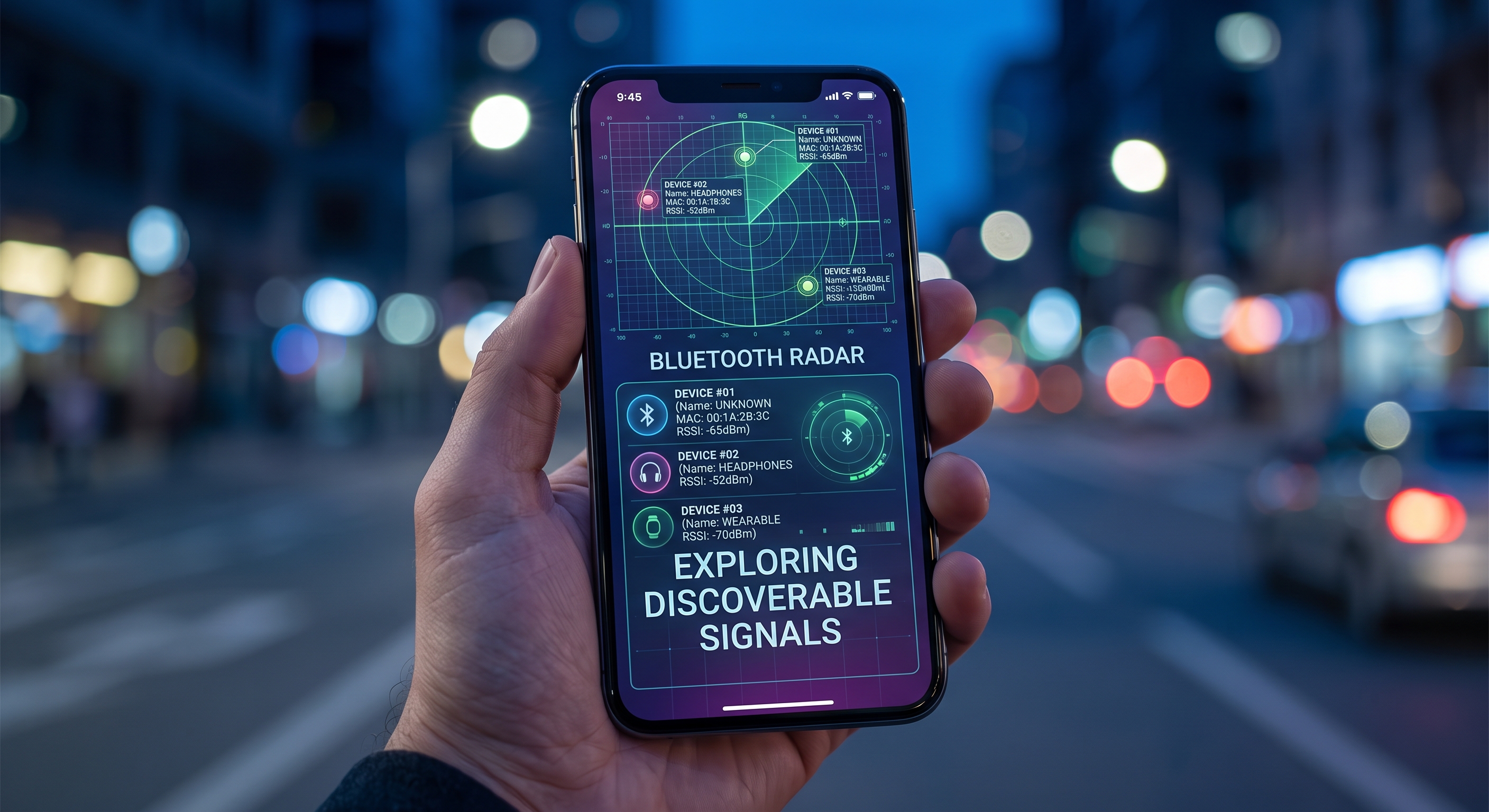
The most visual way is through a radar-style app like BLE Radar: it places detected devices on a radar based on their estimated distance, showing the name, manufacturer, real-time RSSI, and the services each one is broadcasting. It’s surprising the first time you open it in a shopping mall or an airport.
Conclusion
The air is full of BLE signals that reveal the device type, manufacturer, and distance without requiring pairing. Exploring them is legal, educational, and useful—from finding a lost watch to auditing what your own gadgets are broadcasting—and all you need is a scanner app to get started.